Lecture 2 | Module 1: Foundations
FA Facilitator Oct 27, 2026 20 pages 3 views PPTX
Free preview: 3 of 20 pages
Paid
Pages 4 to 20 are for buyers
Buy once and read it in full on any device, any time.
Freelancing Mastery Course - 30 Complete Lectures (6 Modules)
8 documents in this bundle
$49.00
$19.00
Get full access
Bought it already? Log in to read.
About this document
Most compatible browser with Fiverr, Upwork, Gmail, Google Drive. Bookmark: Fiverr, Upwork, Freelancer.com, Gmail, Google Drive, your client's website. Must Do Create your Freelancing folder structure on your computer.
facilitators academy
internet essentials
folder structure
google drive
keyboard shortcuts
google workspace
Document text
T H E F A C I L I T A T O R S A C A D E M Y
Lecture 2 | Module 1: Foundations
Computer &
Internet
Essentials
The tools every freelancer must master
before earning a single dollar online
Duration: 60–70 minutes • Bring your laptop
Supervised by: Muhammad Sohail Ashraf
20+ Years Freelancing Experience
The Facilitators Academy • Lecture 2: Computer & Internet Essentials • thefacilitators.net • +92 304 5224838
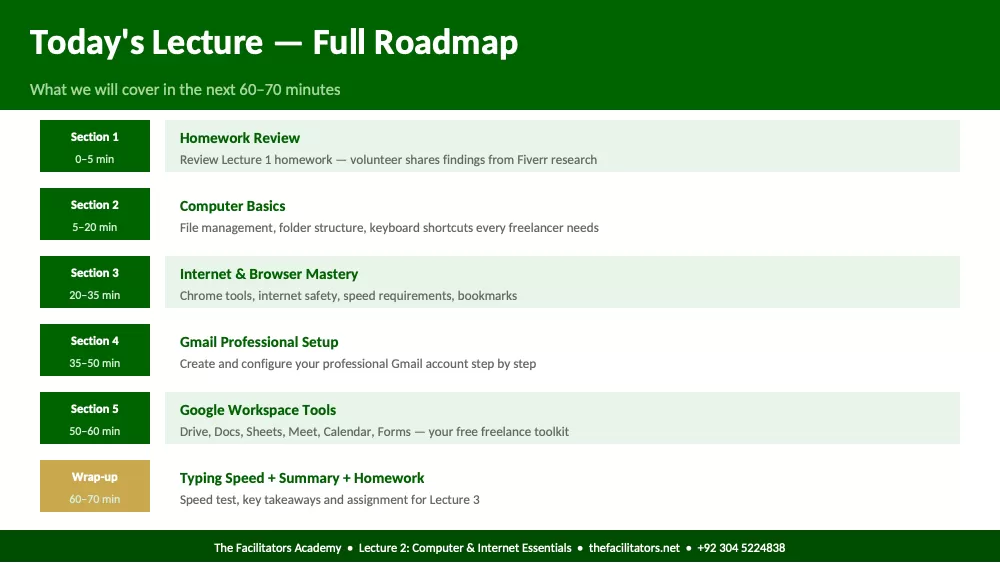
Today's Lecture — Full Roadmap
What we will cover in the next 60–70 minutes
Section 1
0–5 min
Homework Review
Review Lecture 1 homework — volunteer shares findings from Fiverr research
Section 2
5–20 min
Computer Basics
File management, folder structure, keyboard shortcuts every freelancer needs
Section 3
20–35 min
Internet & Browser Mastery
Chrome tools, internet safety, speed requirements, bookmarks
Section 4
35–50 min
Gmail Professional Setup
Create and configure your professional Gmail account step by step
Section 5
50–60 min
Google Workspace Tools
Drive, Docs, Sheets, Meet, Calendar, Forms — your free freelance toolkit
Wrap-up
60–70 min
Typing Speed + Summary + Homework
Speed test, key takeaways and assignment for Lecture 3
The Facilitators Academy • Lecture 2: Computer & Internet Essentials • thefacilitators.net • +92 304 5224838
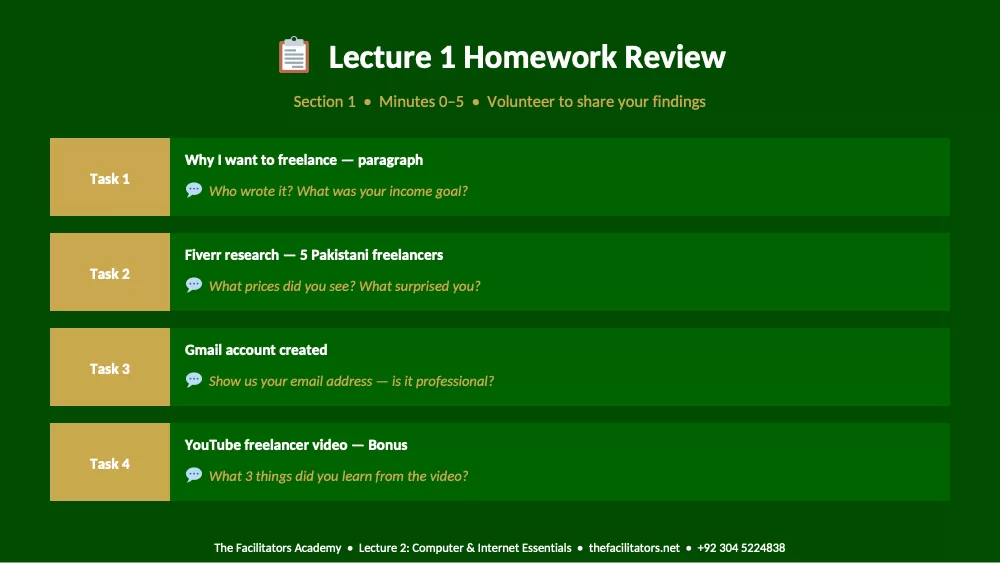
Lecture 1 Homework Review
Section 1 • Minutes 0–5 • Volunteer to share your findings
Task 1
Why I want to freelance — paragraph
Who wrote it? What was your income goal?
Task 2
Fiverr research — 5 Pakistani freelancers
What prices did you see? What surprised you?
Task 3
Gmail account created
Show us your email address — is it professional?
Task 4
YouTube freelancer video — Bonus
What 3 things did you learn from the video?
The Facilitators Academy • Lecture 2: Computer & Internet Essentials • thefacilitators.net • +92 304 5224838
Section 2
Computer Basics
Minutes 5–20 • File management, shortcuts, folder structure
The Facilitators Academy • Lecture 2: Computer & Internet Essentials • thefacilitators.net • +92 304 5224838
Why Computer Skills Directly Affect Your Income
Clients notice your efficiency — it builds confidence in your work quality
A client pays you for results — but HOW FAST and HOW ORGANIZED you deliver those results determines if they hire you again.
Slow Freelancer
✗ Spends 10 minutes finding a file
✗ Sends wrong version of document
✗ Desktop full of random files
✗ Types 20 WPM — slow replies
✗ Cannot share screen properly
✗ Client loses confidence quickly
Efficient Freelancer
✓ Files organized — found in 10 seconds
✓ Proper folder structure — never confused
✓ Responds fast — types 50+ WPM
✓ Shares screen confidently on video call
✓ Sends correct file first time, every time
✓ Client trusts them with bigger projects
The Facilitators Academy • Lecture 2: Computer & Internet Essentials • thefacilitators.net • +92 304 5224838
File Management — The Foundation of Organization
Set this up once correctly and save hours every week
Recommended Folder Structure
Freelancing (root folder)
Clients
ClientName_A
Project_01
Deliverables
Working_Files
ClientName_B
Resources
Templates
Tools & Software
File Naming Rules
Good naming
ClientName_Task_Date
Ahmed_LogoDesign_2025-05-10
Sarah_SocialPost_Week3
Bad naming
final_FINAL_v3_USE THIS
untitled (1) copy
New Document (2)
Never do this
Leave files on Desktop
Put everything in Downloads
No folders — just one pile
The Facilitators Academy • Lecture 2: Computer & Internet Essentials • thefacilitators.net • +92 304 5224838
Essential Keyboard Shortcuts — Save Hours Every Week
Memorize these 20 shortcuts — use them daily until they become automatic
Ctrl + C Copy selected text or file
Ctrl + V Paste copied content
Ctrl + X Cut selected content
Ctrl + Z Undo last action
Ctrl + Y Redo undone action
Ctrl + S Save current file
Ctrl + A Select all content
Ctrl + F Find/search in document
Ctrl + P Print document
Ctrl + N Open new file/window
Alt + Tab Switch between open apps
Win + D Show/hide desktop
Win + E Open File Explorer
Ctrl + W Close current tab
Ctrl + T Open new browser tab
Ctrl + L Select browser address bar
F2 Rename selected file
Delete Delete selected file
Shift + Click Select multiple files
Ctrl + Click Select specific files
The Facilitators Academy • Lecture 2: Computer & Internet Essentials • thefacilitators.net • +92 304 5224838
Quick Check — Minute 20
Answer out loud — no typing needed!
Q1 A client sends you files for a project. Where exactly on your computer will you save them and what will you
name the folder?
Q2 You accidentally deleted important text in a document. What is the keyboard shortcut to bring it back?
Q3 Show us: What shortcut do you press to switch between two open applications without using the mouse?
The Facilitators Academy • Lecture 2: Computer & Internet Essentials • thefacilitators.net • +92 304 5224838
Section 3
Internet & Browser Mastery
Minutes 20–35 • Chrome, safety, speed, bookmarks
The Facilitators Academy • Lecture 2: Computer & Internet Essentials • thefacilitators.net • +92 304 5224838
Google Chrome — Your Primary Work Browser
Master Chrome and you master 80% of your daily freelance workflow
Use Chrome for Work
Most compatible browser with Fiverr, Upwork, Gmail, Google Drive. Always
use Chrome for freelance platforms — never use edge or old browsers.
Bookmarks Bar
Bookmark: Fiverr, Upwork, Freelancer.com, Gmail, Google Drive, your client's
website. Right-click bookmark bar → Show Bookmarks Bar → Ctrl+D to
bookmark.
Separate Profile
Create a Work Chrome Profile separate from personal. Click your photo icon
→ Add → Create work profile. Keeps work and personal 100% separate.
Essential Extensions
Install: Grammarly (auto-fixes English), Loom (screen recording), LastPass
(passwords), AdBl
Showing the first pages. Read the full document above.
Comments (0)
Log in to join the discussion.