Lecture 15 | Module 3: Virtual Assistance — FINAL
FA Facilitator Oct 28, 2026 20 pages 6 views PPTX
Free preview: 3 of 20 pages
Paid
Pages 4 to 20 are for buyers
Buy once and read it in full on any device, any time.
Freelancing Mastery Course - 30 Complete Lectures (6 Modules)
18 documents in this bundle
$49.00
$19.00
Get full access
Bought it already? Log in to read.
About this document
Client Context: Ahmed runs a digital marketing agency in Lahore. Is the scope creep response polite, firm and does it offer a paid alternative? Trello board screenshot and sample weekly report to your portfolio section.
Document text
T H E F A C I L I T A T O R S A C A D E M Y
Lecture 15 | Module 3: Virtual Assistance — FINAL
VA Live
Simulation
Module 3 Final Assessment — prove your
VA skills in a real-world simulation
Duration: 60–70 minutes • ALL tools must be open and ready
Supervised by: Muhammad Sohail Ashraf
20+ Years Freelancing Experience
The Facilitators Academy • Lecture 15: VA Live Simulation • thefacilitators.net • +92 304 5224838
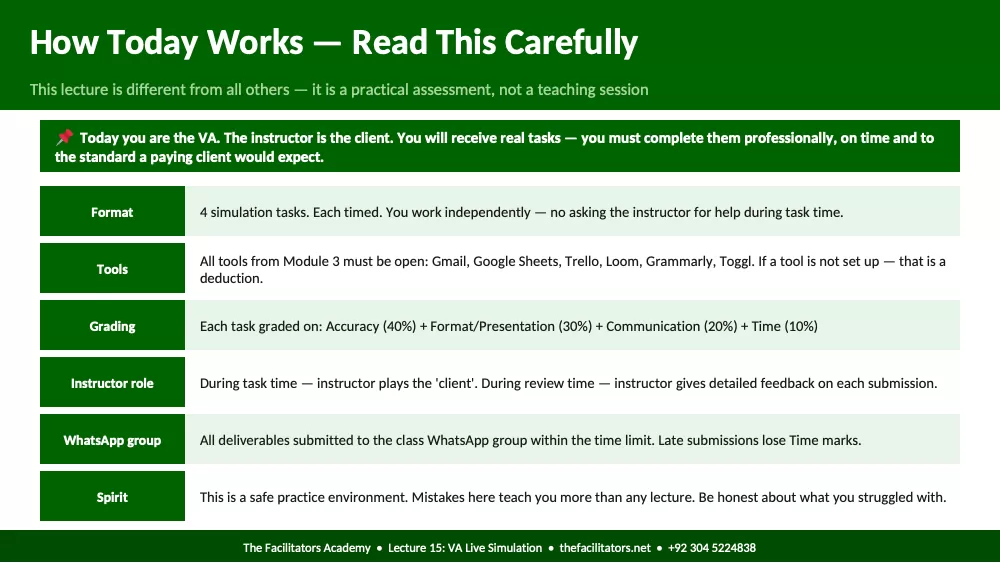
How Today Works — Read This Carefully
This lecture is different from all others — it is a practical assessment, not a teaching session
Today you are the VA. The instructor is the client. You will receive real tasks — you must complete them professionally, on time and to
the standard a paying client would expect.
Format 4 simulation tasks. Each timed. You work independently — no asking the instructor for help during task time.
Tools All tools from Module 3 must be open: Gmail, Google Sheets, Trello, Loom, Grammarly, Toggl. If a tool is not set up — that is a
deduction.
Grading Each task graded on: Accuracy (40%) + Format/Presentation (30%) + Communication (20%) + Time (10%)
Instructor role During task time — instructor plays the 'client'. During review time — instructor gives detailed feedback on each submission.
WhatsApp group All deliverables submitted to the class WhatsApp group within the time limit. Late submissions lose Time marks.
Spirit This is a safe practice environment. Mistakes here teach you more than any lecture. Be honest about what you struggled with.
The Facilitators Academy • Lecture 15: VA Live Simulation • thefacilitators.net • +92 304 5224838
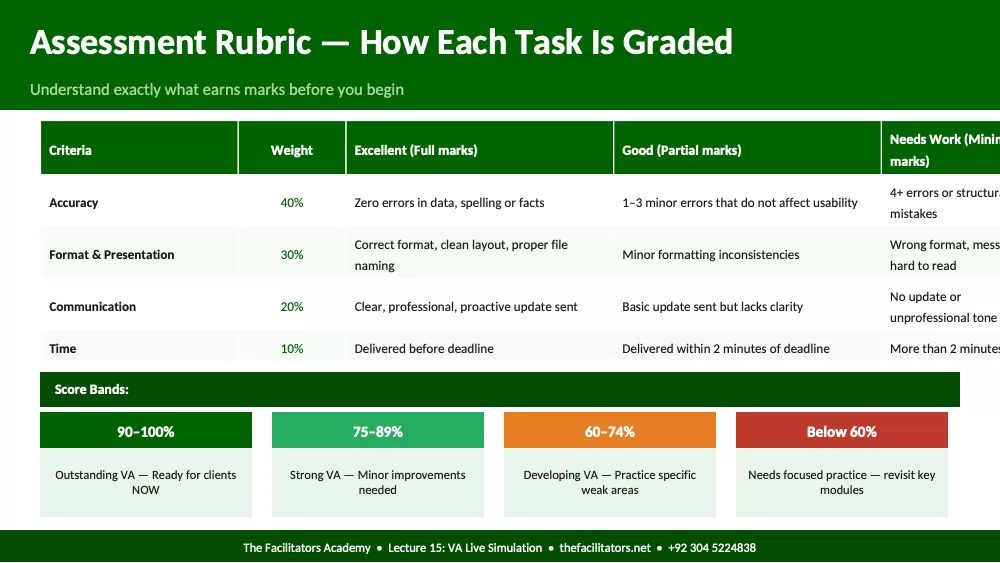
Assessment Rubric — How Each Task Is Graded
Understand exactly what earns marks before you begin
Criteria Weight Excellent (Full marks) Good (Partial marks) Needs Work (Minim
marks)
Accuracy 40% Zero errors in data, spelling or facts 1–3 minor errors that do not affect usability 4+ errors or structura
mistakes
Format & Presentation 30% Correct format, clean layout, proper file
naming Minor formatting inconsistencies Wrong format, mess
hard to read
Communication 20% Clear, professional, proactive update sent Basic update sent but lacks clarity No update or
unprofessional tone
Time 10% Delivered before deadline Delivered within 2 minutes of deadline More than 2 minutes
Score Bands:
90–100%
Outstanding VA — Ready for clients
NOW
75–89%
Strong VA — Minor improvements
needed
60–74%
Developing VA — Practice specific
weak areas
Below 60%
Needs focused practice — revisit key
modules
The Facilitators Academy • Lecture 15: VA Live Simulation • thefacilitators.net • +92 304 5224838
Pre-Simulation Checklist
Check every item before the timer starts — missing tools cost marks
☐ Gmail open: Logged in and inbox visible. Labels set up. Grammarly extension active in browser.
☐ Google Sheets open: New blank sheet ready. Know how to use TRIM, PROPER, Remove Duplicates and Find & Replace.
☐ Trello open: Your account logged in. Know how to create a board, add lists, cards, labels and due dates.
☐ Loom ready: Chrome extension installed. Test record button. Know how to share a link after recording.
☐ Toggl running: Account set up. Know how to start and stop a timer and assign it to a project.
☐ Grammarly active: Chrome extension showing in top right of browser. Green icon = active.
☐ WhatsApp group open: Class WhatsApp group open on phone or computer. You will submit deliverables here.
☐ Laptop charged: Plugged in or fully charged. Load shedding plan ready — UPS on or 4G hotspot ready as backup.
The Facilitators Academy • Lecture 15: VA Live Simulation • thefacilitators.net • +92 304 5224838
Section 1
Task 1 — Email Management
10 Minutes • Inbox triage, professional replies and Loom update
The Facilitators Academy • Lecture 15: VA Live Simulation • thefacilitators.net • +92 304 5224838
Task 1: Email Management — Your Brief
Read the full brief before starting. Timer starts when instructor says GO.
Client Context: You are the VA for Sarah — a life coach with a busy inbox. She has been away for 2 days. You manage her Gmail.
Task 1A
3 min
TRIAGE: Instructor will share a screenshot of 10 emails in the WhatsApp group. You must categorize them into: Urgent (reply needed today)
/ This Week / Low Priority / Spam. Submit your categorized list in WhatsApp group.
Task 1B
4 min
REPLY: Write a professional reply to this email on Sarah's behalf:
'Hi Sarah, I wanted to follow up on our coaching session last Tuesday. I tried the breathing exercise you recommended but I am not sure I
am doing it right. Could we schedule a quick 15-minute call this week? — Michael'
Reply as Sarah's VA. Acknowledge, answer appropriately and offer to book a Calendly slot.
Task 1C
3 min
LOOM UPDATE: Record a 90-second Loom video to Sarah summarizing what you did with her inbox today. Include: how many emails
processed, any urgent items she needs to know about and what you will do tomorrow. Share the Loom link in WhatsApp group.
The Facilitators Academy • Lecture 15: VA Live Simulation • thefacilitators.net • +92 304 5224838
Section 2
Task 2 — Data Entry & Research
12 Minutes • Lead list + Trello board setup
The Facilitators Academy • Lecture 15: VA Live Simulation • thefacilitators.net • +92 304 5224838
Task 2: Data Entry & Research — Your Brief
Two sub-tasks — time yourself on each. Submit both before the 12-minute mark.
Client Context: Ahmed runs a digital marketing agency in Lahore. He needs a lead list of potential clients and a Trello board to track his
team's projects.
Task 2A
7 min
LEAD LIST: Build a lead list of 10 restaurants in Lahore using Google Maps only.
Required columns: Restaurant Name | Address | Phone Number | Google Rating | Website (if listed) | Facebook Page (Yes/No)
Delivery: Clean, sorted Google Sheet shared in WhatsApp group. File named: 'Lahore_Restaurants_[YourName]_[Date]'
Grading: Acc
Showing the first pages. Read the full document above.
Comments (0)
Log in to join the discussion.